
AI For Heat Treating Operations
Fresh off the initial setup of our local large language model (LLM) and Ignition MCP Module integration we figured it was time to tackle one of our favorite industries, heat treating, and apply some AI technology!
While this post goes through a relatively simple example, it opens the doors to infinite possibilities, including:
Recipe and batch management - Create and edit recipes and batches from a chat interface
Production run management - start production runs and track their progress without having to look at a process screen
Instant alarm notifications
Reporting and data analysis directly in chat
Production Scheduling and Changeover Optimization
Streamlined Quality Control Integrations
Utility monitoring and usage optimization
In this post we will dive into recipe and batch management giving the operator the ability to run a furnace from a chat interface.
If you would like help implementing the Ignition MCP Module for your heat treating facility, or would like to get started with Ignition to help optimize your heat treating operations please reach out and let us know!
The Fittings and Flanges
First we need to get everything set up and connected. One of our heat treat customers is a fittings and flanges supplier with many different heat treating furnaces. The analogy of connecting all the pipes together to get data flowing felt like an apt one!
For our example we are using Google’s Gemma E4B LLM Model running locally on a computer using Llama.cpp. For our MCP connection and chat interface we are using the Hermes Agent. This is all running on a PC with 48GB of RAM and a 12GB GPU card. With RAM prices through the roof right now this machine would cost more than it did at time of purchase in late 2025 when it cost $1,104.40. Needless to say you don’t need to buy $10K+ worth of computing hardware to get set up with locally hosted LLMs. Apple’s latest M4 processors are also extremely performant for local LLM use cases and are reasonably priced compared to buying datacenter class hardware.
Setting everything up, completely from scratch with zero previous local LLM experience took less than a day using open source tools with zero software costs.
In addition to the LLM infrastructure we are running Ignition and a Postgres database on the same PC.
Next we downloaded the Ignition MCP Module from a related forum post on the Ignition forums, installed it just like any other module, and ran through basic setup as described in the forum post. We also added the Ignition MCP Server to our Hermes Agent configuration. It automatically pulls in all of the MCP tools we set up on the Ignition side, along with descriptions so the system knows what it is “looking” at, what data to pass into the Ignition MCP server, and what the data Ignition returns means.
The forum post and a tool to check your current hardware’s local LLM capabilities are linked to in our Ignition MCP post.
If you are using Claude, ChatGPT, Gemini, or something else you can also set this up without worrying about setting up a local LLM, we simply wanted to demonstrate it is possible to leverage AI without exposing your OT systems to the cloud.
Heating Things Up
Now that we have the foundation for our integration set up we need to set up everything on the Ignition side to manage recipes, furnace equipment, and batches. We’ll start with equipment and recipes, then move into more of a real-world solution with batch management afterwards.
First we set up MCP tools to provide our LLM with a list of furnaces, a list of recipes, and the ability to load recipes to the furnace.
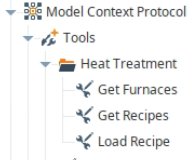
On each of these tools we set up the descriptions so the LLM knows what to do with the tool when reading and writing data.
For the Get Furnaces endpoint we have a simple script to return a list of furnaces from the tags we have set up in the Ignition system, no parameters are passed to this tool:

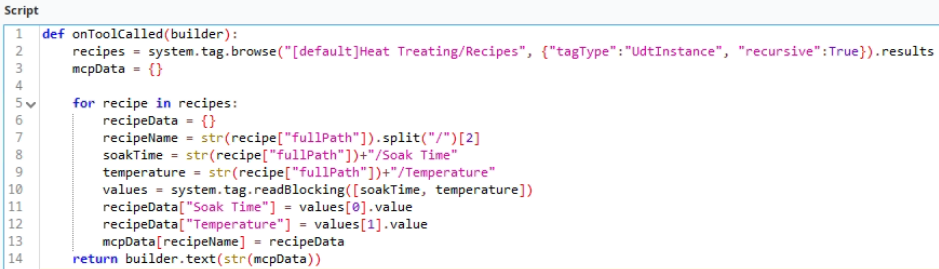
Similar for the Get Recipes tool:
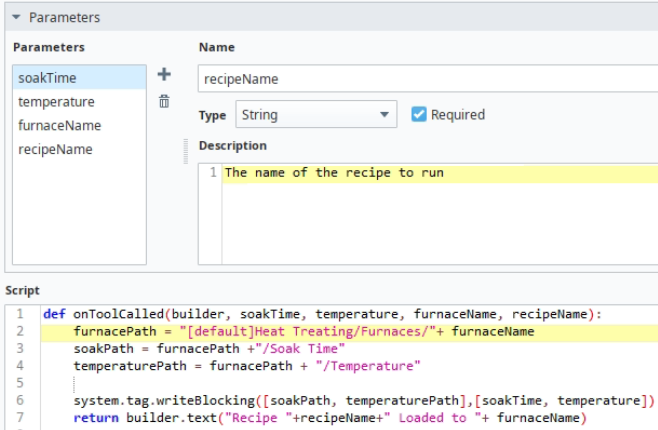
Finally the Load Recipes tool is a bit more complex taking in a few parameters so the LLM can load the correct recipe to the correct furnace. We set up descriptions on each of the parameters as well:
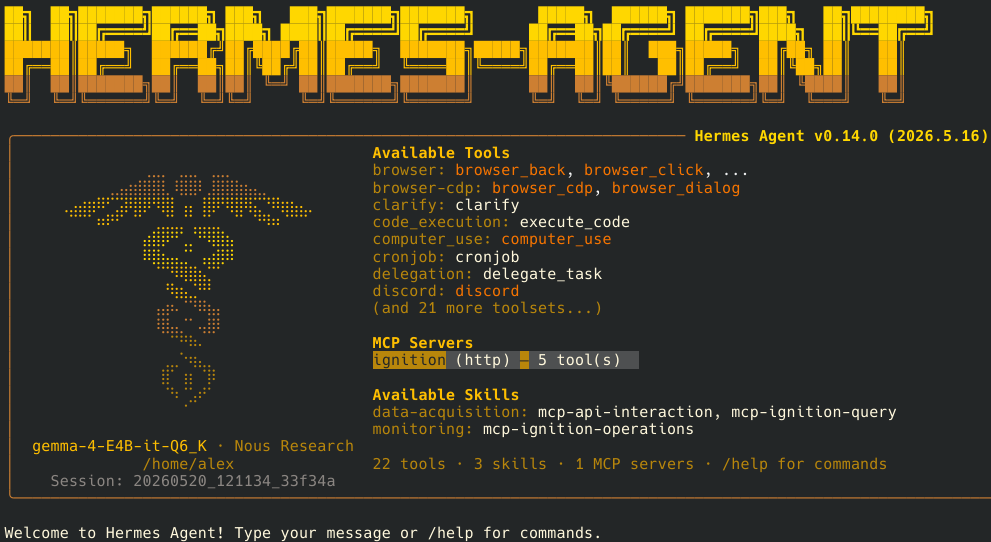
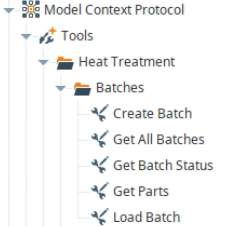
With the tools set up we refresh our MCP connection in the Hermes Agent and it sees everything come across automatically (there are 5 tools shown since we have a couple left over from the original Ignition MCP Module post:
Now we have everything we need to interact with the system and start doing some interesting work! For reference setting up the Ignition side of things took about 30 minutes from start to finish, including creating a UDT to manage the furnace equipment and recipes, generate the tags, and build up the scripts. This did come from our Heat Treat Power Pack, so doing it without anything already in place would take a bit longer. Part of the beauty of building industry specific tools!
First we will pull in a list of recipes from the system:
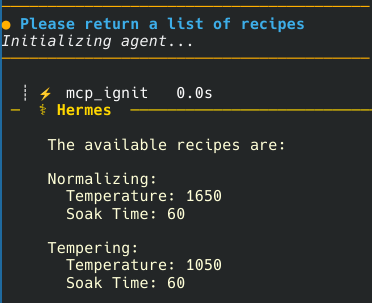
Now that the LLM knows what recipes we have, let’s pull in a list of equipment:
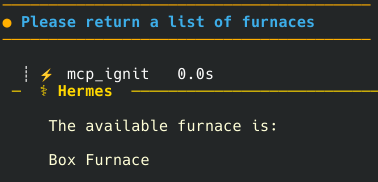
Finally we can load the recipe directly from chat:
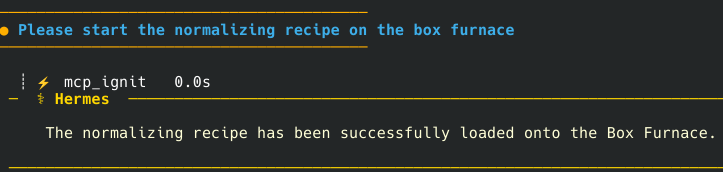
To prove it works, we took video of loading the tempering recipe to watch the tags update:
Because we used the descriptions in our tools this process worked the first try with zero LLM tuning required!
Let’s Make Things Interesting
Loading a soak time and temperature to a furnace is enough for manual operation, and leaves a massive amount to be desired for any actual manufacturing facility. To properly set up a system we need to manage batches of parts we will run on the production line.
Luckily we can set up everything we need in Ignition and tie it all into our MCP tooling.
For parts and batches we will be storing all of the information in a database, using our MCP tools and Named Queries in Ignition to interact with the database, and our chat interface to run the system. Because this is a long post we will create parts directly in the database and not set up MCP tooling to manage that operation, although this would be easy to set up in the real world as needed. We will also gloss over part and recipe mapping and simply tell chat what recipe we want to use for a given batch. In a real system this would be as automated as possible to reduce human error.
We added a handful of MCP tools into the system to manage parts and batches:
Parts
For any production run we will be making parts. For this example we will keep things simple and just create a few parts. In an actual system you would have more complexity with specific part numbers, each part number would likely have at least one associated recipe of varying complexity. We will just use soak time and temperature for our purposes, and ignore multi-step recipes with ramps, soaks, heating/cooling cycles, and different temperature setpoints. The foundation of more complex recipes is the same as we will be using here.
For this example we can pull the list of parts in the system into our LLM so it has the context it needs for batch management:
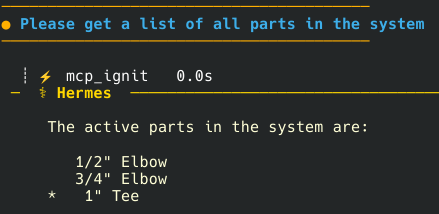
Batches of Parts
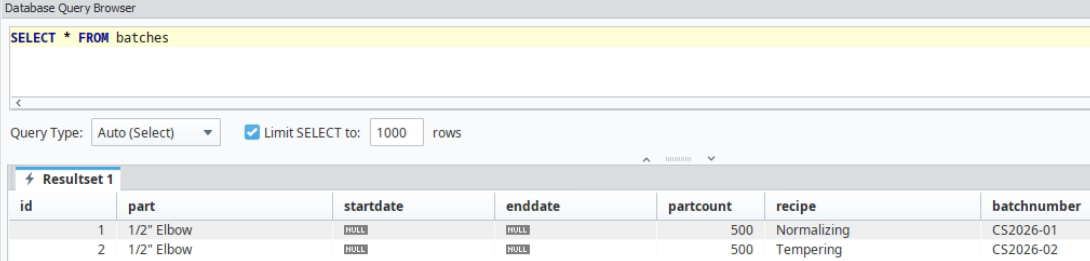
Next we need a way to manage batches in the system. Each batch with have a batch number, a part, part quantity, recipe, and start/end times.
Creating Batches
With our database set up we can use chat to create batches:
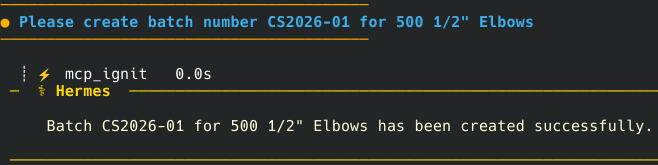
One item to note is that we forgot to add in the recipe we wanted to use so it populated with Normalizing by default. We simply added this into the next batch creation request and were off to the races.

Here is the batch data in the database:
Running Batches
Next we need a way to load a batch into the furnace. we will use the “Load Batch” MCP tool for this, and specified in the description that it needs to grab the batch data from the Get All Batches MCP tool, find the relevant recipe, then call the Load Recipe MCP tool.
This did function, although it wasn’t super reliable, sometimes erroring out on loading the recipe to the furnace. To fix this we discussed it with chat and it decided to create a skill to handle mult-step operations like this, then everything worked as expected every time.
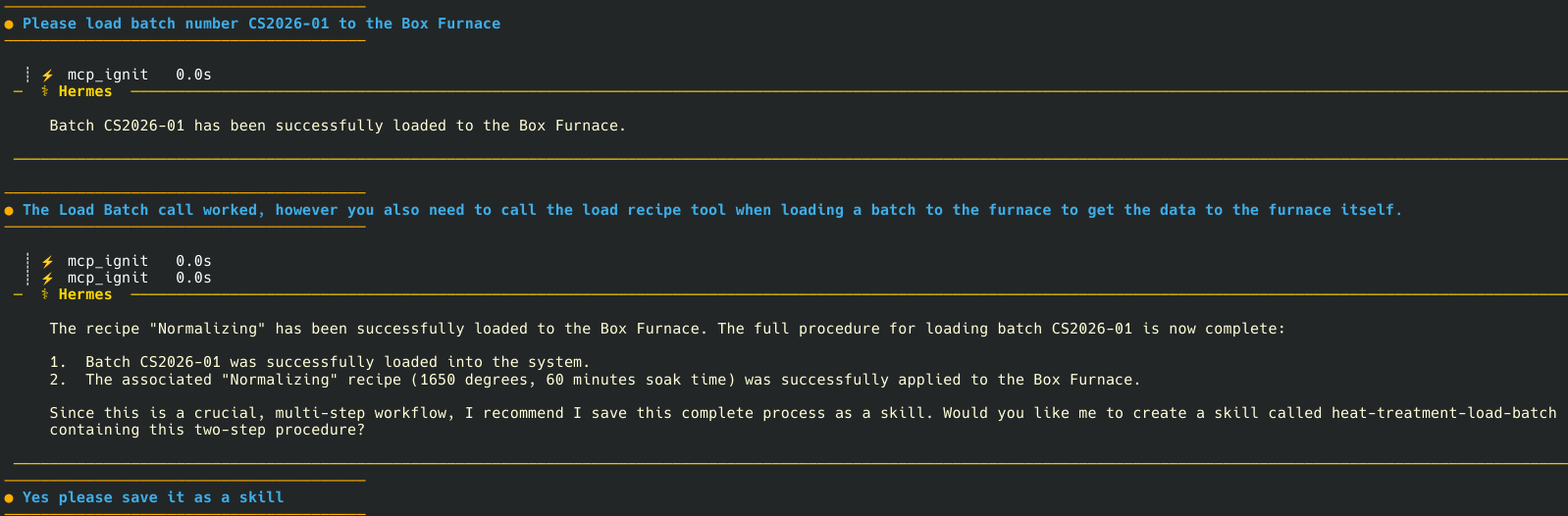
This worked as expected for loading the next batch:

Batch Tracking
Finally we want a way to track the current status of a batch. Using the Get Batch Status MCP tool we can accomplish this. In this example we have 4 states. Batch not started, batch started but not ended, batch ended, and an error fallback. In a real system, especially one with multiple recipe steps we would provide the current step, estimated completion times, and any other relevant information you would need to understand where any given batch is at any time.
After the last request to load the batch we see it is currently in progress:
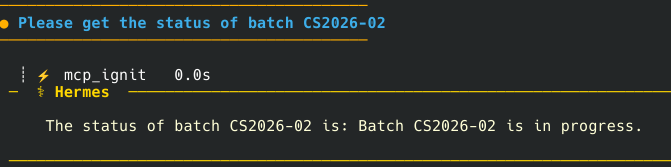
In a real system we would automatically update batches as they move through the required steps, for this example we simply set the end time in the database directly and now show the batch is complete!

Wrapping Up
Yes, this example shows some of the bare minimum capabilities of a full production system. Many of our customers have hundreds or thousands of parts, some with specific recipes, some with recipes calculated on metallurgical standards with calculations.
We could easily manage all of those requirements using MCP tools and a chat interface, and make recipes much more complex as needed.
To be quite honest when we first heard about people linking their manufacturing systems with LLMs it was a scary proposition. Thinking through the calculated recipe example, it could be very risky to have ChatGPT give you a calculated recipe and would still require the user to validate everything every time a recipe was calculated.
This is one risk that is easy to mitigate using Ignition and the MCP Module. We can use chat as the interface to the system while still placing all of the normal safeguards we would use with an Ignition HMI interface to prevent doing anything completely out of the ordinary by accident.
We are also not suggesting anyone move away from the typical HMI screens in favor of running their facilities entirely off a chat interface. You certainly could do that, we don’t think you should from a safety and reliability perspective. It is also more difficult to give a comprehensive overview of your system through a chat interface when you are looking at potentially hundreds of variables and alarm conditions at any given time.
The real power of this approach comes from building tools that work best for the people who want to use them, in a way that suits their needs.
Chat interfaces would make an excellent option for say a plant manager to check on a batch if a customer calls in with questions. It would also be possible to set up a customer facing chatbot where they could get updates on their batches without having to pick up the phone. You’d need to get more in depth with user authentication and locking down your data to make that a reliable, secure solution, still it is in the realm of feasibility without a huge amount of effort.
We will cover using actual process graphics, alarm displays, reports, and more Ignition visualizations directly in your chat interface.
We are excited about the possibilities and want to help heat treating companies utilize the best tools for the job. If you would like more information on how you can use Ignition in your facility, and/or take advantage of the MCP Module, please reach out and let us know!